Blessing and curse: AI in web development
-
8 min
AI in web development cuts both ways. It builds websites faster and makes updates and upgrades much easier. It also brings more security holes and more sprawl in the code. No reason to panic, but a good reason for a fixed update routine. Here's what we see in our projects.
Why does vibe coding build fast, but not for tomorrow?
Vibe coding gets a working website or feature online fast, but it rarely builds for the next update. A Carnegie Mellon study compared 806 open-source projects that adopted the AI editor Cursor with 1,380 similar projects. It found a short burst of speed and a lasting rise in complexity (He et al., Carnegie Mellon, 2025).
By vibe coding we mean prompting until something works and accepting the code without really reading it. The study looks at Cursor in general, not at vibe coding in particular, but it shows the pattern. In the first month after adoption, lines added rose by 281%. The speed gain was only significant in the first two months.
Two other effects lasted. Static-analysis warnings went up by 30.3% and code complexity by around 42%, and neither came back down. The authors name exactly these two as major factors behind the later slowdown. One caveat: it is an observational study of open-source projects, and client websites may behave differently.

What larger data sets show
Google's DORA report 2025, based on nearly 5,000 technology professionals, sums it up in one sentence: "AI doesn't fix a team; it amplifies what's already there." The same report found that "AI adoption does continue to have a negative relationship with software delivery stability" (Google Cloud, DORA 2025, 2025).
GitClear sees a similar pattern in its own data. From 2021 to 2024, the share of copy/pasted lines rose from 8.3% to 12.3%. Lines linked to refactoring fell from 25% to under 10% (GitClear, 2025). For the first time, there was more copied code than moved code, and moved code is a typical sign of cleanup. GitClear sells code-analysis tools, and its numbers show a correlation.
For a website, this means the next person, or the next AI session, has to understand more code with less structure. That makes every later update harder.
Why does AI lose your visual identity?
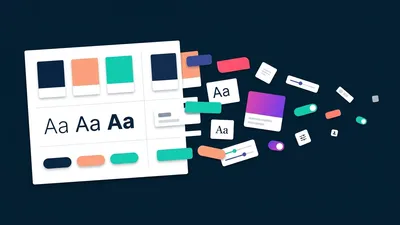
Without a styleguide, AI tools tend to fall back on a generic look. Nielsen Norman Group tested AI prototyping tools and found that without visual specifications they produce "a similar, generic look", and that "many AI-generated screens appear flat and interchangeable" (Nielsen Norman Group, 2025). Its verdict on that default style: "it lacks visual identity and emotion."
According to NN/g, the tools default to component libraries like shadcn and frameworks like Tailwind CSS. Anthropic, the company behind Claude, says it about its own model: without guidance it "will almost always conform to Inter fonts, purple gradients on white backgrounds, and minimal animations" (Anthropic, 2025). Anthropic calls this distributional convergence and writes that "this generic aesthetic undermines brand identity".
A styleguide as the guardrail
No study measures how fast a corporate identity erodes. So this is our assessment, backed by the sources above: every element an AI adds without guidance drifts a little from your style. Nobody notices one odd button. Twenty of them, over a few years, change how your brand looks.
NN/g also found that attached design files improved the results: "the higher the fidelity of the attached file, the more accurately the design was translated." In Smashing Magazine, Vitaly Friedman recommends a token layer so that AI picks from a "closed set of named variables" (Smashing Magazine, 2026). He also warns that AI "cannot magically resolve technical debt or design debt" without proper guidance.
That's how we work anyway: styleguide first, then every content element built from fixed variables and mixins for colour, spacing and type. On our own site, every colour and spacing step lives in one variables file, and every font size in a set of typography mixins. If an AI-written element hardcodes a hex value or a pixel margin, it stands out in review straight away.
Why do updates matter more now?
At the same time, more holes are being found than ever before. Epoch AI counted about 2,500 high and critical CVEs from 21 major organisations in July 2026, around five times the previous monthly record of about 490 (Epoch AI, 2026). Epoch sees easier discovery as the most likely reason.
The best-known case this autumn was php2shell. On 20 and 21 October 2026, the PHP project released versions 8.2.35, 8.3.36, 8.4.27 and 8.5.12 to fix two critical flaws, CVE-2026-109618 and CVE-2026-109619, rated CVSS 9.2 (Qualys, 2026). Germany's Federal Office for Information Security (BSI) warned at level 3, orange, and ZDF's news programme heute journal covered it (zdfheute, 2026). WordPress, TYPO3, Drupal and Joomla were named among the affected systems.
Contao released its announced security updates on the morning of 11 November 2026: versions 5.3.54, 5.7.17 and 6.0.6 fix ten advisories, three of them rated critical on GitHub (Contao security advisories). The critical ones concern cross-site scripting through crafted file names and the figure insert tag, and the scope check for passkey logins. We told you how to prepare in our notice on the Contao security updates.
None of this calls for alarm. It just gives old advice more weight: more holes found means more fixes, and each fix only protects you once it's installed. So a regular update date is worth more today than it was two years ago.
How much easier has AI made CMS upgrades?
This is the blessing, and it's a big one. In our projects, AI roughly halves the time a CMS upgrade takes, on every system we've upgraded with it so far, sometimes more. That applies to small custom websites as much as to medium and large CMS sites, and especially to TYPO3, which can be tricky to upgrade.
Two recent examples, without client names. A fairly large TYPO3 website moved from v12 to v14. For an upgrade of that size we usually plan around 45 hours, and this one took half that. A small Contao website came from the ancient version 3.5 to 5.7 in several steps. We usually plan 10 to 12 hours for that, and it took 4.5.
Where AI saved the time: it runs the automated PHP upgrades and keeps linting for deprecated code the whole way through. We also give it the official upgrade notes of every major version, so nothing gets forgotten and it handles changes in logic and structure as well as syntax. The automated tester agents we set up do the quality assurance: they compare the result page by page with the old site and check status codes, links, layout and accessibility, which is a big help.
What an upgrade involves for your own site is on our pages for Contao upgrades and TYPO3 upgrades.

What Google, Thoughtworks and Drupal report
We're not alone with this. Google reported on a large internal migration from 32-bit to 64-bit IDs: "80% of the code modifications in the landed CLs were fully AI-authored", and engineers estimated the total time dropped by about 50% (Google, arXiv 2501.06972, 2025).
Thoughtworks put AI for code migrations in the "Trial" ring of its Technology Radar in November 2025. Using AI alone, it writes, "has often proven costly and prone to meandering conversations". The teams that succeeded "broke the process into smaller, verifiable steps" (Thoughtworks, 2025).
Dries Buytaert, the founder of Drupal, reports more than 175 AI-generated Rector rules for Drupal upgrades. He's careful with expectations: "AI-generated code is far from perfect", and such rules "will not eliminate all upgrade work anytime soon" (Dries Buytaert, 2026). That's why the checking stays with us.
What does this mean for extended support like TYPO3 ELTS?
Extended support gets a new competitor: the upgrade itself. TYPO3 ELTS, the paid long-term support for old TYPO3 versions, costs €2,800 per licence and year for v10 and v11 and €3,200 for v12, before membership discounts (TYPO3 News, 2026). It is offered on typo3.com, which TYPO3 GmbH runs.
The v12 price is around 15% higher. TYPO3 says it reflects "the rising costs of maintaining and securing TYPO3 versions beyond their free support lifecycle". That's a fair reason, and ELTS stays a sensible bridge when an upgrade isn't possible yet.
Our assessment, and only that: if a clean upgrade with AI costs less than one or two years of extended support, many site owners will upgrade instead. That's good for security, because more sites run on versions with regular community support. For providers of extended support, that changes the calculation too.
What should you do now?
AI hasn't made web development better or worse on its own. As DORA puts it, it amplifies what's already there. So it's worth giving it a good routine to amplify:
-
Know your version and its support lifecycle
Which CMS version runs, and until when does it get security fixes? -
Plan updates as a fixed routine
Regular dates in the calendar, so updates don't depend on the news. -
Review AI-generated code
Tests and a look at the structure before it goes live. -
Keep a styleguide as the guardrail
Variables and components that every new element must use, written by AI or not.
If you'd rather hand that routine over, our pages on Contao maintenance and support and TYPO3 maintenance and support show what's included.
Frequently asked questions about AI in web development
-
Not by default. But it needs the same checks as any other code. In the Carnegie Mellon study, static-analysis warnings rose by 30.3% after projects adopted Cursor, and they stayed high. Treat AI code like code from a new colleague: tests and a review before it goes live.
-
You have to update more reliably. In July 2026, Epoch AI counted about five times the previous monthly record of high and critical CVEs. More holes found means more fixes, and each one only protects you once it's installed. A fixed routine works better than reacting to headlines.
-
Sometimes, as a bridge. ELTS for TYPO3 v12 costs €3,200 per licence and year before membership discounts. If an upgrade isn't possible yet, it buys time. In our projects, AI roughly halves upgrade time, so compare both costs before you renew.

Markus Milkereit
Founder & Lead Developer
Writes about accessibility, maintainable front-ends and the unglamarous parts of running a website well.