Maintain structured data once, centrally, instead of in every template. Open source, MIT licence, for Contao 5.
Schema.org for Contao: Schema Manager
Our Schema Manager maintains the schema.org data of your Contao website in one place: organisation, people, services and events as linked entities. Pages, posts and events point to them instead of each one carrying its own hand-written markup.
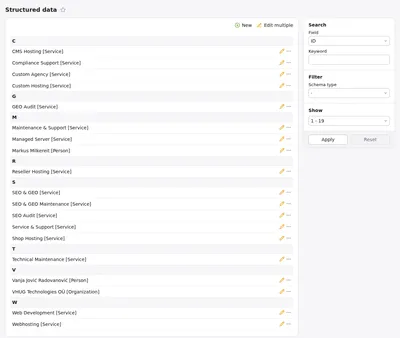
Which entities do you manage in Schema Manager?
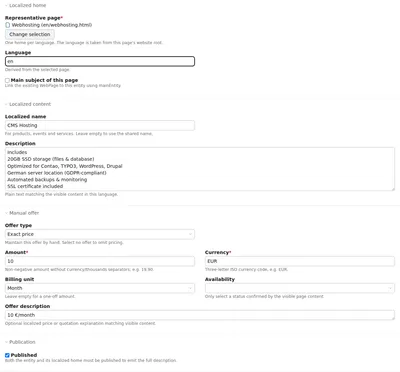
Everything your website describes lives in one central list in the backend. Each entity gets a permanent ID that doesn't change when you rebuild URLs or add a language. For each language you set a home page, a name and a description.
| Type | What you use it for |
|---|---|
| Organization | your company, with contact points, memberships and expertise |
| Person | authors and contacts, with qualifications |
| Service | services, optionally with a manually maintained offer (price, currency, billing unit) |
| Product | products, also with a manual offer |
| LocalBusiness | locations |
| Event | events, with a venue |
| Job | job postings |
| WebSite | the website itself |
How do you install Schema Manager?
Via the Contao Manager or Composer. You need PHP 8.3 or newer and Contao 5.7 or newer. The News and Calendar bundles are optional; you only need them for posts and events. Afterwards, run the database update.
composer require vonheldenundgestalten/contao-schema-manager
vendor/bin/contao-console contao:migrate| Item | Value |
|---|---|
| Package | vonheldenundgestalten/contao-schema-manager |
| Current version | 1.3.1 (released 8 October 2026) |
| PHP | 8.3+ |
| Contao | 5.7+ |
| Optional | News bundle, Calendar bundle |
| Licence | MIT |
| Backend languages | English, German |
How do you link pages, posts and events to entities?
Right where you edit the content anyway:
-
Pages
In the page's "Structured data" section you pick related entities and the page purpose, for example a contact page. -
News archives
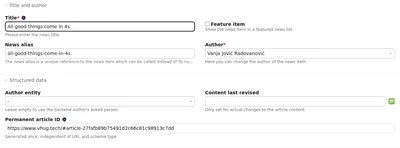
Posts appear as BlogPosting, NewsArticle, Article or JobPosting. You set an author entity, the date of the last content revision, and topics (about and mentions). -
Calendar
Events are output as Event with a venue.

How do you check what your website outputs?
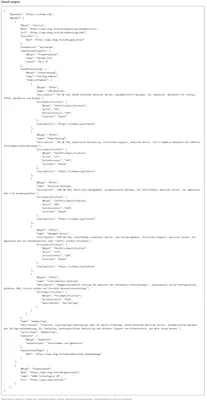
The backend has a saved JSON-LD preview. It shows the published entity together with its linked organisation. Unpublished records are left out, and after changes you save first so the preview refreshes.
What does the relationships map show?
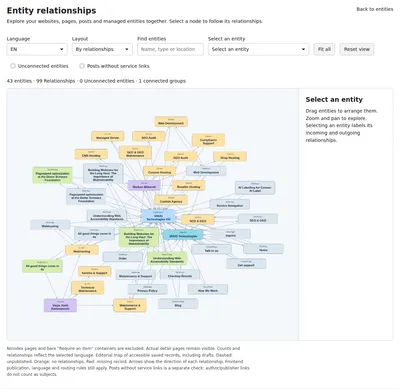
It displays entities, pages and posts as a network, with the number of entities and relationships. Two checks help you tidy up: "Unconnected entities" and "Posts without service links". For the second check, author and publisher links don't count as subjects.
Is there an AI-assisted setup?
Yes, optionally. It needs your own OpenAI API key and is available to administrators only. Without a key you work by hand as usual. Check beforehand whether using the OpenAI API fits your project and your data protection requirements, and review every suggestion before you publish it.
What can't Schema Manager do?
Part of an honest description:
-
No image selection
It doesn't pick a page image automatically and doesn't create Open Graph or Twitter tags. -
Old markup stays
It doesn't remove markup written by hand in your templates. You check for duplicates yourself. -
No shop scope
No product variants, no reviews, no shopping cart. -
No ticketing data
No EventSeries and no ticket details. -
Not every Google field
Some rich-result fields aren't supported, such as FAQ and ticket details for events. -
Prices by hand
You maintain offers manually; there's no automatic price import.
Where can you find Schema Manager?
Source code, issues and README: GitHub. Installation via Composer: Packagist. Search within the Contao ecosystem: Contao Extension Store. If something is missing or doesn't work, we'd be glad to get an issue or a short message.
Frequently asked questions about Schema Manager
-
No. Contao's output stays in place and gets enriched. The extension doesn't automatically remove markup written by hand in your own templates. After setup, check whether anything is output twice.
-
No, both are optional. You only need them if you want to output posts from a news archive or events from the calendar as structured data. You can maintain entities and pages without them.
-
We don't promise that. The extension helps you maintain and check structured data consistently. Whether search engines or AI systems cite you more as a result isn't proven, and the evidence is thin. More in the explainer article.
-
The extension is released under the MIT licence and is free to use. Costs can only arise from the optional AI-assisted setup, because it needs your own OpenAI API key.
-
No. It's optional and visible to administrators only. You can maintain all entities, offers and links by hand in the backend.